Introduction
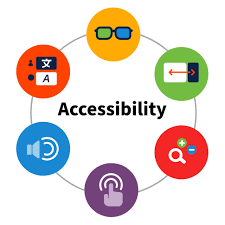
One example of digital accessibility that I love is closed captioning. Luckily, we live in a day and age where closed captioning is prominent on YouTube videos and some short video clips across various social media platforms. This is something that is so easy and should be enabled everywhere. I personally find that I can not focus on a video unless there is closed captioning, because to be able to understand and comprehend what people are saying, I need to read it at the same time. Accessibility accommodations I see that can be missed include larger texts/headings to separate headings and ideas, and colour. Prettier colours are more eye appealing, but a prettier colour does not mean accessible for everyone! Overall, accessibility refers to all learners having the same opportunity to interact with resources and materials, engage and interact with different activities, and create different forms of content, regardless of differing abilities regarding accessibility
Digital Accessibility Practices
One digital accessibility practice that surprised me was the resource shared in class today. I did not know Read&Write for Google Chrome was a resource available. This tool reads out loud highlighted text, which can be helpful for so many people! This surprised me because I did not realize such an awesome resource and tool existed. This is my first class, and I am excited to learn more because accessibility means all learners have an equal opportunity to learn, and these resources help close the gap that learners with different needs may experience. The BC ministry of education has guidelines for basic accessibility standards
Conclusion
I think digital accessibility practices aren’t as well-known or commonly used because we have become accustomed to what we know, and we are not aware of others’ needs. We need to go outside of what we know and understand and learn more about how to be accessible for all learners, even if it is harder for us at first to learn. The hard work we put in the beginning to better understand learners’ needs when it comes to digital accessibility means the effort will become easier over time, and the better learning experience our students and others will have with technology.
Leave a Reply
You must be logged in to post a comment.