INTRODUCTION
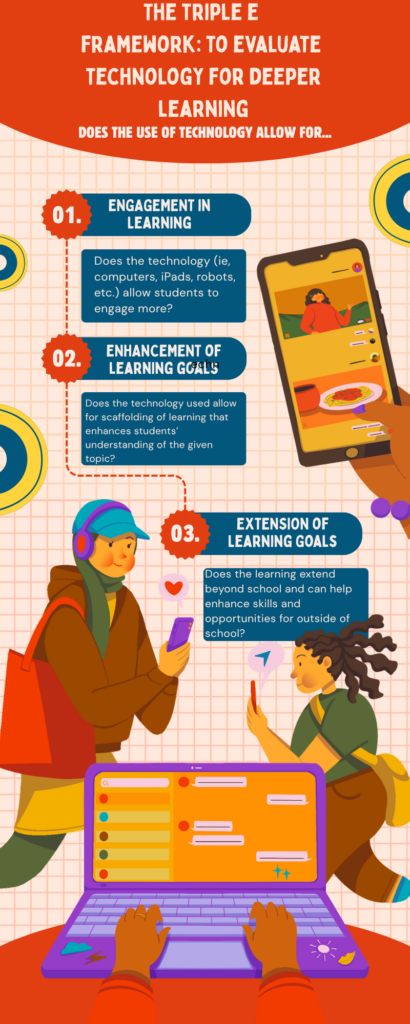
Today in class, we discussed the SAMR theory of technology, the Triple E framework, and spent time modifying and creating our own infographic on Canva. I created an infographic to show how using the Triple E framework can be used to better understand if using technology is an appropriate use for your specific learning.
THE SAMR MODEL
The SAMR model for technology integration refers to Substitution, Augmentation, Modification, and Redefinition. Substitution refers to when technology acts as a direct tool substitute (ie, using a document camera to read a children’s book). Augmentation refers to where technology, as a direct tool, is used to ultimately improve functionality (ie, Google Translate for ELL learners). Modification refers to where technology allows for significant task redesign (ie, having Zoom guest lectures or guest speakers). Finally, Redefinition refers to when technology allows us to create new tasks that were previously not possible (ie, the printing press creation). This theory allows me to consider what technologies would be useful in my future classroom. Based on my practicum experience, my favourite use of technology in the classroom was Google Translate for my Korean ELL learner. My teacher would translate the assignment into Korean for him, he would speak in Korean what he wanted to say, and it would create the English translation for him to write down for his assignments. This required patience, but he always finished his assignments.
TRIPLE E FRAMEWORK
The Triple E framework means that in order to understand if using technology is appropriate for a specific task or assignment, you need to consider the learner’s engagement in learning, the enhancement of learning goals for the learner, and the extension of the learning goals and if these skills can also be applied beyond school. By understanding and working your way through this model, you can understand if using the technology would instead be a distraction, if it requires additional instruction before technology is used, and if there is exceptional potential for these Triple E’s to be met. There are various modes of technology, and by critically analyzing our choice in technology use, we can ensure this framework is being followed.
CANVA AS A TOOL
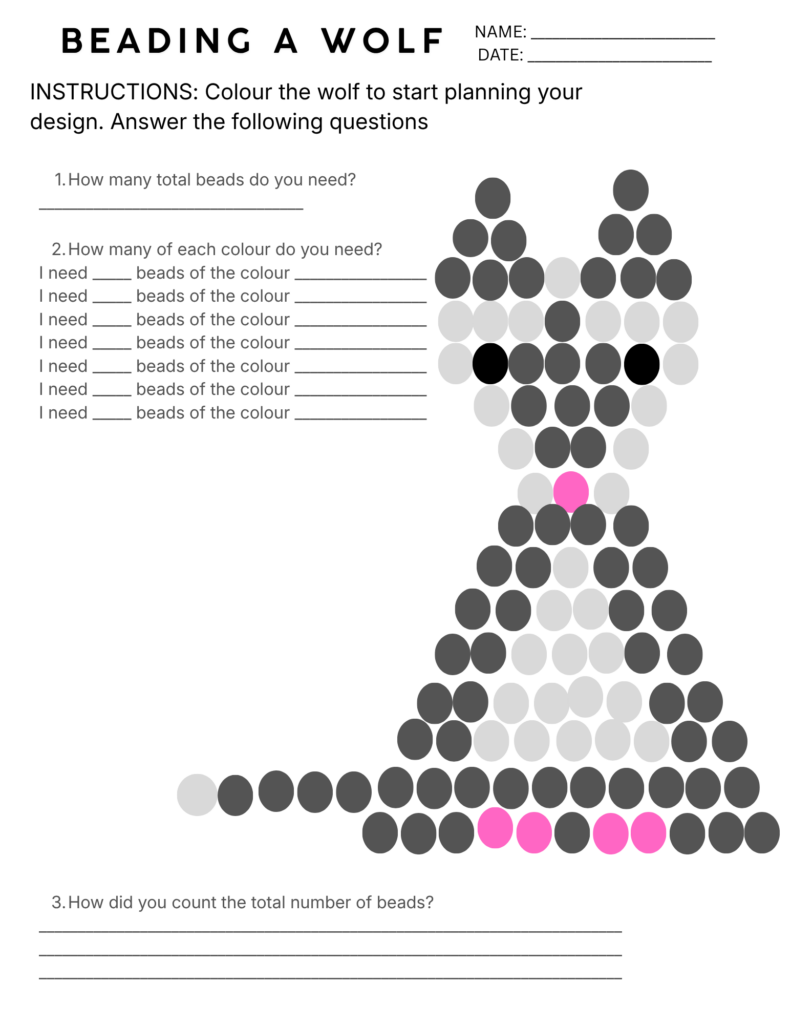
I have previously used Canva to create my own resources for the classroom. Specifically, I have created templates that help students learn to bead. I have created a salmon, wolf, and eagle worksheet. These worksheets made it easier for students to prep their beading materials, allowed students to count their required number of beads, and when it came time to bead, students matched their correct colour with the corresponding dot. This worksheet helped students easily plan their design, understand the importance of beading and the purpose of intention with colour, and allowed students to easily follow along as I beaded! Overall, Canva enhanced my learners’ experience when it came to beading. To use Canva effectively, you need to choose the right template for your design, customize design elements that work best for your desired outcome, keep it simple overall, and use high-quality images that enhance learning!